


Planet Free VPN ™ Super Proxy
4.64.89K Reviews
App Specs
- Version
- 8.5.2
- Updated On
- License
- Free
- Downloads
- 50,000,000+
- Developer
- Free VPN Planet
- Categories
- Productivity
- Platform
- Android, iOS
Screenshots
 Analysis by AppCompare
I treat a VPN as a practical tool, not a magic privacy shield. The main appeal of Planet Free VPN ™ Super Proxy is the chance to route everyday browsing through a different country without making setup feel like a technical project. That can be useful when I want a simple connection change, but it is still worth being clear about what a VPN can and cannot do: it does not make every website trustworthy, and it is not a substitute for careful account and device security.
A quick country switch is the central draw
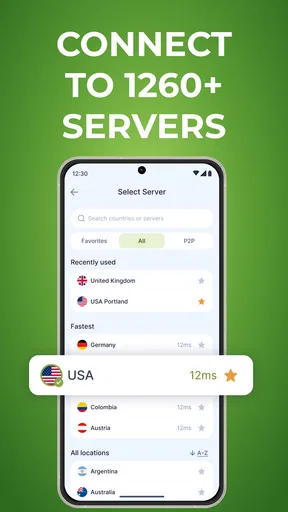
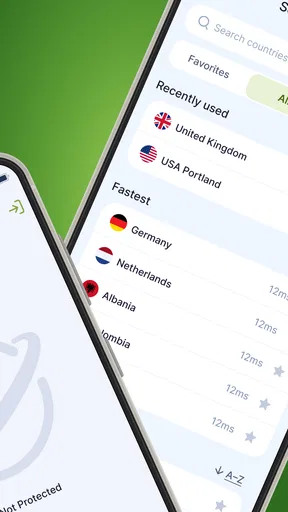
The app’s country selection is its most noticeable capability. In ordinary use, that gives me a straightforward way to choose a different apparent location before I browse. It may help when a service presents different pages by region or when I want to check how a site looks from elsewhere. Whether a particular streaming service works through a chosen location can vary, though, so I would not install any VPN on the assumption that it will reliably bypass every restriction.
There is a useful distinction between changing a connection route and changing the content I am entitled to access. A VPN can affect the location a website sees, but it cannot guarantee that a platform will accept the connection, and it does not change an account’s rules. I see the country picker as a convenient option for general browsing, not a promise that every region-locked show or site will open.
How I would use it during an ordinary day
For a low-effort routine, I would open the app before browsing on public Wi-Fi, choose a location, and connect before signing in or opening sensitive pages. That sequence makes the VPN’s role easy to understand: it is active for the session I choose, rather than something I assume protects every activity automatically. When I finish, I would check whether it is still connected instead of relying on memory, especially if I move between networks.
A realistic example is settling into a café to read the news, check a few personal messages, and look up directions while using its Wi-Fi. I would connect first, then use the phone normally, and avoid treating the VPN as permission to enter payment details on a page that already looks suspicious. If I were doing banking or handling work files, I would follow the security practices recommended by the bank or employer as well; a VPN is only one layer.
One small habit can prevent confusing results: note which country is selected before opening a site that depends on location. If pages show the wrong language, prices, or local information, I would switch back or disconnect and reload the page. Websites can also retain cookies or account preferences, so changing the VPN location may not immediately reset what a service displays.
What the privacy promise means to me
The app is presented as a no-logs VPN, a claim that matters because the service handling a connection becomes part of the privacy picture. I would still read the current privacy terms before using it for anything sensitive. “No logs” is not a reason to assume that every kind of information is impossible to collect, nor does it prevent websites, apps, or accounts from identifying me through information I provide directly.
Worth Reading Before You Choose

Baby Panda World Brings Quick Play to Modern Phones, but Its Game Library Feels Busy

ESPN’s Live Game View Makes Following Close Games Easier

QuizzLand Review: A Good Fit for Short Trivia Breaks, Not Every Player

Basketball Stars: Multiplayer Is Fast, but Can It Recover When Matches Go Wrong?

WEBTOON Turns Phone Updates Into a Better Reading Routine

Link to Windows Runs on Shared Habits, Not Social Feeds
I also keep expectations measured around security language. Encryption can protect traffic on its route, but it cannot stop phishing, malicious downloads, weak passwords, or tracking tied to an account. For that reason, my practical checklist remains simple: keep the phone updated, use unique passwords, and avoid entering credentials after following unexpected links. A VPN can complement those habits, not replace them.
Where convenience has limits
The uncomplicated approach is a strength for casual use, but it also means this is not the option I would choose when I need fine control over which apps use the VPN or what happens if the connection drops. People who depend on advanced routing controls, detailed network settings, or a carefully configurable privacy setup should compare more feature-rich VPNs before settling on this one. A dedicated paid service may also suit someone who needs a particular location to work consistently for travel, work, or streaming.
Free access is appealing, yet I would check the in-app purchase details before assuming every option is included at no cost. The app is free to install, while optional purchases range from about five dollars to around sixty dollars per item. I would decide what I actually need first, then review any purchase screen carefully rather than tapping through it just to get connected.
Planet Free VPN is a productivity app from Free VPN Planet. It has a 4.6 average from around two million ratings, and it has passed ten million installs. Its Everyone age rating makes it broadly accessible, but that is not a security endorsement; parents should still consider how a VPN fits their household’s device rules. The app launched on May 19, 2022, and version 8.4.1 requires Android 8.0 or later.
Getting Started with Planet Free VPN
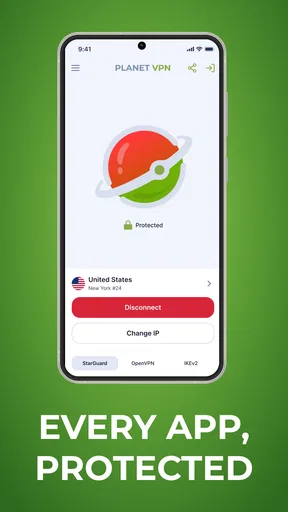
First off, installation was a breeze. I hopped onto the Play Store, typed in the app’s name, and boom, it was there ready for download. In just a few taps, I had Planet Free VPN ™ Super Proxy up and running on my phone. No fuss, no hassle. The app's interface is super clean, which is a win in my book. You don't need a tech degree to figure out how to navigate it. Just open it up, and you’re greeted with a straightforward connect button.
Features That Stand Out
One of the first things I noticed was the variety of servers available. You can switch between different countries with ease, which is perfect if you’re trying to access region-blocked content. With just a tap, I was able to hop from the US to the UK, then over to Japan. It’s like having a teleportation device for your internet connection!
Another cool feature is the unlimited bandwidth. I tested it out by streaming a couple of shows, and there were no hiccups or buffering issues. The speed was pretty solid, even during peak hours. Plus, there’s no cap on how much data you can use, which is a huge plus for binge-watchers like me.
Privacy and Security
Okay, let’s talk security. The app promises military-grade encryption, and while I’m no cybersecurity expert, I felt pretty secure knowing my data was being scrambled like eggs. There’s also a no-log policy, which means they’re not keeping tabs on what you’re up to online. This is definitely reassuring if you’re concerned about privacy.
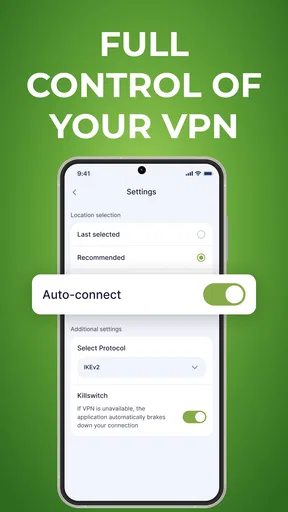
However, I did notice that the app doesn’t offer the extras like a kill switch or split tunneling. If those are deal-breakers for you, keep that in mind. But for basic browsing and streaming, it covers the essentials.
Usability and User Experience
One of the things I loved was how light the app is. It didn’t hog my phone’s resources or drain the battery. I could have it running in the background without even noticing. Plus, no annoying ads popping up every two seconds, which is rare for a free app.
The connection times were quick, and I didn’t experience any random disconnections during my use. The simplicity of the design means that even if you’re not tech-savvy, you can get everything set up without breaking a sweat.
Final Thoughts
In a nutshell, Planet Free VPN ™ Super Proxy is a solid choice if you’re looking for a free VPN app that’s easy to use and doesn’t skimp on speed or server choices. It’s perfect for everyday use, whether you’re scrolling through social media or streaming your favorite shows.
If advanced features and top-tier security are what you’re after, you might need to look elsewhere. But for a no-cost, hassle-free solution, this app ticks a lot of boxes. So, if you’re curious, give it a whirl and see how it fits your browsing needs!
Pros
- Easy to use with a simple interface
- Provides fast and stable connections
- No registration required for access
- Supports multiple devices simultaneously
- Offers a variety of global servers
Cons
- Limited features in the free version
- In-app ads can be intrusive
- Connection drops occasionally
- No dedicated customer support
- Some servers have slow speeds
FAQs for Planet Free VPN ™ Super Proxy
What platforms is Planet Free VPN ™ Super Proxy available on?
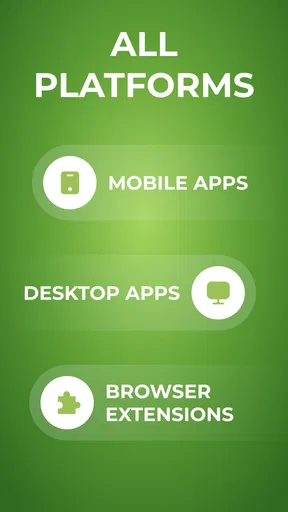
Planet Free VPN ™ Super Proxy is available for both Android and iOS devices. You can download it from the Google Play Store for Android or the Apple App Store for iOS. This ensures broad accessibility, allowing users of different devices to enjoy secure and private internet browsing.
Is Planet Free VPN ™ Super Proxy truly free to use?
Yes, Planet Free VPN ™ Super Proxy offers a free version that provides basic VPN services. However, there may be premium features or subscription options available that offer enhanced functionality, faster speeds, or additional server locations. It's advisable to check the app for any in-app purchases or subscription details.
How does Planet Free VPN ™ Super Proxy protect my data?
Planet Free VPN ™ Super Proxy uses encryption protocols to secure your internet connection, ensuring that your data is protected from hackers and surveillance. By routing your connection through encrypted servers, it maintains your privacy and anonymity while you browse, stream, or download content online.
Can I access geo-restricted content with Planet Free VPN ™ Super Proxy?
Yes, Planet Free VPN ™ Super Proxy allows users to access geo-restricted content by masking their IP address and providing servers in multiple locations around the world. This enables you to bypass regional restrictions and enjoy content that might be unavailable in your country.
Does using Planet Free VPN ™ Super Proxy affect my internet speed?
Using any VPN, including Planet Free VPN ™ Super Proxy, can potentially affect your internet speed due to the encryption process and server distance. However, the app is designed to minimize speed reduction, and premium versions may offer faster connections. Testing different servers can also help optimize speed.


